Jeevan Pramaan Life Certificate 2026: November Rules, Face App & Download
November is the regular annual life-certificate submission month for Central Government pensioners. Jeevan Pramaan can help you generate a Digital Life Certificate (DLC) from home using Aadhaar-based face authentication, or through an authorised centre. The important part is not simply taking a face scan: your pension particulars must be correct and your bank or other disbursing agency must accept the certificate. This guide explains the preparation, download and follow-up without treating every pension scheme as having the same deadline.
Source-reviewed on 8 November 2026 against the official Jeevan Pramaan FAQs, mobile manuals and UIDAI-hosted life-certificate FAQ. The November window described here is for Central Government pensioners, not a universal rule for EPS, NSAP or every state pension. No special 2026 extension is claimed. App requirements can change; follow the current official download page.
At a glance
- Central Government pensioners
- Annual submission in November; age 80+ may submit from 1 October
- Face authentication
- Jeevan Pramaan + AadhaarFaceRD; no separate fingerprint scanner needed
- Keep ready
- Aadhaar, mobile, PPO and pension bank/agency details
- Completion check
- Save Pramaan ID and confirm acceptance with your disbursing agency
What is it?
Jeevan Pramaan is an Aadhaar-based digital life-certificate service for pensioners whose pension sanctioning authority is onboarded. It creates a certificate with a unique Pramaan ID after the required pension information and biometric authentication are supplied. It is not an application for a new pension, a pension payment tracker or a way to change the bank account in pension records. The official FAQ says the certificate is made available digitally to the disbursing agency, so physical submission is not normally required for this digital route. However, generation does not mean every detail has been accepted: the agency can reject a certificate if the particulars do not match its records. Traditional life-certificate submission remains an alternative; using Jeevan Pramaan is not compulsory.
Benefits
Face authentication can avoid a trip to a branch and removes the need to own an external fingerprint device for that route. A family member can help as the operator, while the pensioner's own face authentication establishes the pensioner's identity. A saved certificate and Pramaan ID give you something specific to show the bank if pension continuity becomes an issue. The practical benefit is less travel and clearer follow-up, not a promise of immediate pension credit. If a phone is unsuitable or authentication repeatedly fails, switching to a recognised centre or the agency's accepted manual route is better than paying someone who promises guaranteed approval.
Who is affected
- ✓You already receive a pension and your pension sanctioning authority participates in Jeevan Pramaan. Confirm support with your bank or pension office before beginning.
- ✓The official FAQ lists Aadhaar and a mobile number among the prerequisites, along with pension details. Do not enter somebody else's identity as the pensioner.
- ✓The FAQ says re-employed or remarried pensioners cannot use this route; ask the pension authority for the appropriate traditional process and declarations.
- ✓Check your pension scheme's own life-certificate schedule. EPS and state or social-assistance pensions should not automatically copy the Central Government November rule.
What to check
- ✓Aadhaar number and pensioner's name as required in the official app; keep this private and never send it to this website.
- ✓Pension Payment Order (PPO) number, pension type, sanctioning authority and disbursing agency. Copy these from pension records rather than guessing similar names.
- ✓Pension bank account and branch details, plus an accessible mobile for the registration OTP and Pramaan ID message.
- ✓Compatible smartphone, working camera and internet. The Android manual specifies Android 9 or later; check current requirements before installation.
- ✓Official Jeevan Pramaan and AadhaarFaceRD apps. AadhaarFaceRD may not show a normal launcher icon; the official manual explains that it works through the calling app.
What to do next
- Open jeevanpramaan.gov.in and follow its official download instructions or centre locator. Avoid APK files sent through WhatsApp or ads offering paid certificate downloads.
- For the phone face route, install AadhaarFaceRD and the applicable Jeevan Pramaan app from the official store links. Android and iPhone have separate official manuals.
- Complete the one-time operator registration, consent and authentication. The operator may be the pensioner or a helper; do not confuse operator details with pensioner details.
- Enter the pensioner's information and pension particulars, including PPO and correct sanctioning/disbursing authorities. Read the displayed declarations before accepting them.
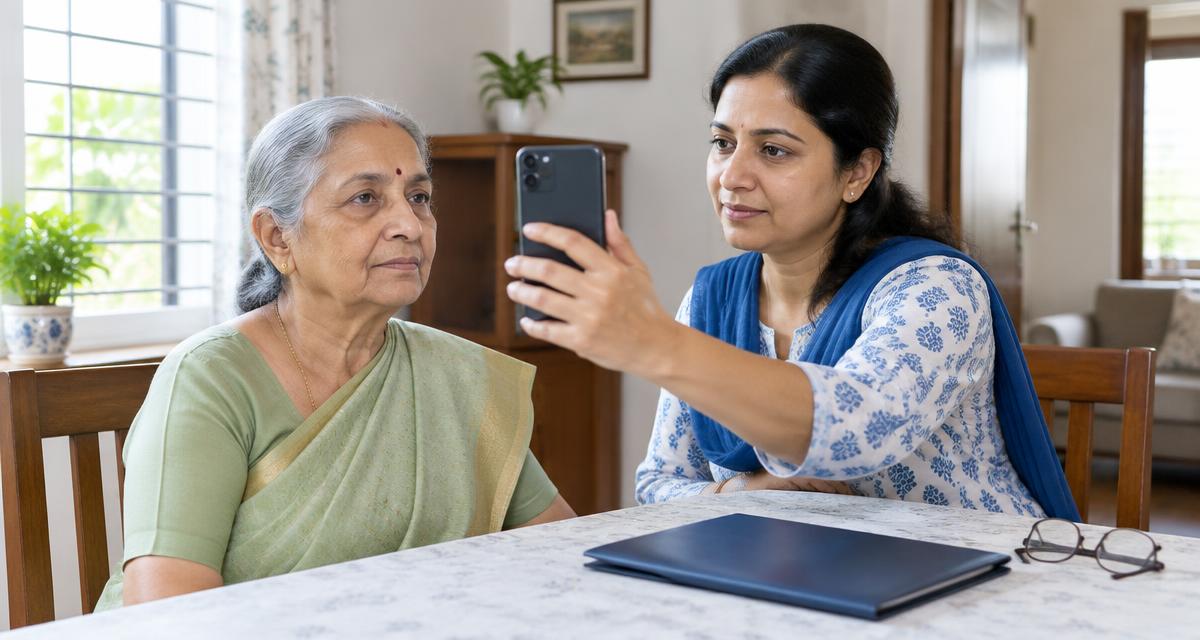
- Follow the on-screen face-scan guidance in good light. The pensioner must be present; a photograph, saved video or another person's face is not an acceptable substitute.
- After successful generation, save the SMS and Pramaan ID. Use Pensioner Login on the official website to download the DLC through the requested ID/OTP process.
- Check the downloaded particulars and acceptance with the bank or agency. The official FAQ advises contacting the disbursing agency if rejected; correct the information and generate a new certificate as instructed.
Important dates
The UIDAI-hosted FAQ states that Central Government pensioners submit their annual life certificate in November, while those aged 80 or above may start from 1 October. For the ordinary 2026 November cycle, plan to complete it by 30 November rather than wait for an unverified extension. Confirm any scheme-specific exception directly with your authority. A Pramaan ID is not valid for life: certificate validity follows the sanctioning authority's rules. If you miss the required period, ask the disbursing agency what to submit for continuation or restoration; a new DLC alone is not a guaranteed payment-release instruction.
Common mistakes to avoid
- ✓Treating a certificate-generation SMS as proof that the bank has accepted all pension particulars.
- ✓Selecting the wrong pension authority or PPO because a similar option appears in the app.
- ✓Assuming November applies to every pension or that one certificate lasts forever.
- ✓Repeatedly trying a poor face scan without checking lighting, camera, permissions and current app instructions; use a centre or accepted alternative if needed.
- ✓Sharing Aadhaar, OTP, bank details or remote-screen access with an unknown helper. Service-centre or doorstep charges can differ; confirm them beforehand and obtain a receipt.
Frequently asked questions
Is 30 November the deadline for every pensioner?
No. November is the annual window described for Central Government pensioners. Other pension authorities set their own rules. Confirm the schedule for your pension, and do not rely on an unverified extension.
Do I need a fingerprint device for Jeevan Pramaan face authentication?
No separate fingerprint device is needed for the face route using the supported Jeevan Pramaan and AadhaarFaceRD apps. Fingerprint and iris routes have different device requirements.
How do I download the life certificate?
Use Pensioner Login on jeevanpramaan.gov.in with your Pramaan ID and the requested verification. Save the generated SMS so you can find the ID later.
The certificate was generated but rejected. What should I do?
Contact the pension disbursing agency for the reason. The official FAQ says incorrect particulars can cause rejection; generate a fresh DLC with the corrected details as directed.
Can my child help me complete the process?
Yes, a helper can act as the operator. The pensioner's own particulars and authentication must still be used for the pensioner stage.
Is digital submission mandatory?
No. Jeevan Pramaan is an additional route. Ask your bank or pension authority about accepted physical certificates or other supported submission options.